What Is a Smart Home? Simple Guide for Vancouver Homeowners in 2026
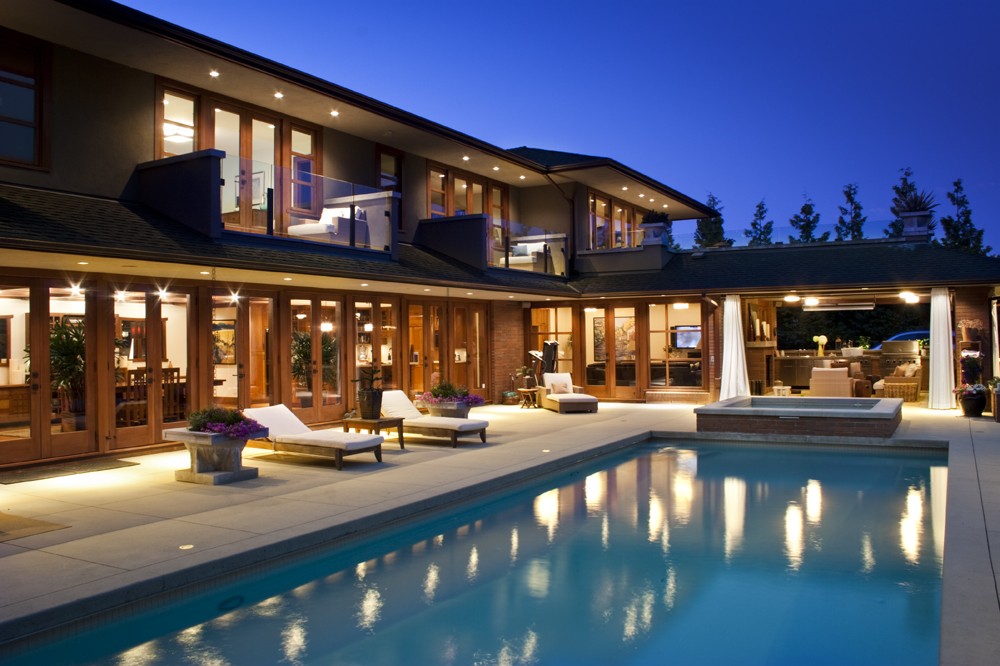
What Is a Smart Home? A Beginner’s Guide for Vancouver Homeowners (2026 Edition)
If you have ever searched “what is a smart home?”, you have probably seen everything from single-room gadgets to full-home solutions. The confusion is normal because a smart home can be a product you buy, or it can be a system that is designed.
In Vancouver, West Vancouver, North Vancouver, and Whistler, we often meet homeowners who have a mix of apps, devices, and subscriptions, but no clear plan. This guide breaks down what makes a smart home “a system”, what is typically included in a professionally designed install, and how the pieces work together so your home feels simple to use.
What “smart home” means in plain language
A smart home system is a group of connected home technologies that are designed to work together as one experience. Instead of jumping between multiple apps and hoping everything stays online, a system is planned around reliability, ease of use, and long-term support.
A gadget can be useful, but it usually lives on its own. A system is intentional. It has a foundation, it has a standard for how it is installed, and it is built to be serviceable over the life of the home.
The biggest difference: a system vs a pile of apps
Most “smart home frustration” comes from three common problems.
1) Too many control points
If lighting is in one app, audio is in another, cameras are somewhere else, and Wi-Fi gets its own login, you are managing technology instead of living in your home. A properly designed control system brings lighting, shades, audio, video, climate, cameras, and security into one interface so you are not juggling remotes or switching between apps.
2) No shared foundation
Many devices assume the network will be strong and consistent. In real homes, especially after renovations or additions, connectivity can be uneven unless the network and wiring are planned. A professional-grade network is treated as infrastructure, not a consumer add-on, because every modern smart home system depends on it.
3) No plan for support and change
Homes change. You renovate, add a suite, update appliances, or change how you use rooms. A system is designed so updates and troubleshooting are straightforward, backed by real documentation and a team that can monitor and support the system over time.
What is typically included in a professionally designed smart home system
Every home is different, but most professionally designed systems are built around a few core layers that work together.
1) The foundation: structured wiring and pathways
Even in an existing home upgrade, structured wiring matters. It is the difference between a clean, dependable system and one that relies on best-case conditions. For many projects, this includes data cabling to key locations, proper pathways for future additions, and clear labelling so changes do not become guesswork later.
If you are planning a renovation, this is the best time to invest in wiring because access is easier and the finish impact is lower. Treating wiring as infrastructure, not “just pre-wire”, gives the home a backbone that can support technology for 10 to 20 years.
SEE ALSO: Connected Home Networking
2) The backbone: a solid home network
A smart home system is only as dependable as the network behind it. A professionally designed network plans for coverage, capacity, security, and growth, rather than relying on a basic modem or mesh kit. This is especially important for larger homes, concrete construction, or properties with multiple buildings.
Homeowners often notice the network most when it is not planned. Slow streaming, laggy camera feeds, and devices that randomly show “offline” are usually symptoms of a network that was not designed as part of the system. When the network is engineered properly, audio, video, lighting, cameras, and control all share the same digital backbone smoothly.
SEE ALSO: Wi-Fi and Networking Solutions
3) The “brain”: smart home automation and control
Automation is where a smart home becomes a system. Instead of controlling devices one by one, you create consistent behaviours, scenes, and schedules that match your lifestyle. A unified control platform ties subsystems together so that pressing a single button can adjust lights, shades, audio, climate, and security in one step.
Examples that feel “system-like” in daily life include:
- “Goodnight” sets the home into an overnight mode with lights, shades, and security prepared for the night.
- “Away” reduces energy use, arms the alarm, and adjusts climate for an empty house.
- “Entertain” adjusts lighting and music zones across the main floor for guests.
The goal is not to add complexity. The goal is to reduce decision-making and make the home feel intuitive regardless of who is using it.
SEE ALSO: Smart Home Automation
4) Lighting control and motorised shading
For many Vancouver homeowners, lighting control is the moment smart home technology finally feels worth it. Centralised lighting replaces walls of switches with clean keypads and scene-based control, while still coordinating with the electrical and design teams. It improves comfort, energy efficiency, and the way each room looks and feels.
Motorised shading can also be a key part of comfort and privacy, with the added benefit of reducing glare and protecting interiors. When integrated with lighting and control, shades can respond to time of day, alarm modes, or simple “Goodnight” and “Morning” scenes so you are not constantly walking room to room.
5) Security and entry as part of the same ecosystem
Security works best when it is integrated and designed as part of the smart home, not bolted on at the end. That can include cameras, a licensed alarm system, smart locks, and intercom or gate control, all tied back to the same control platform and network.
The key is clarity. You should be able to answer what happens when the alarm triggers, how deliveries are handled, how guests enter, who gets access, and how that access is managed. Professional-grade systems focus on hardwired, documented infrastructure instead of consumer gadgets, which is especially important for West Coast weather and long-term reliability.
SEE ALSO: Smart Security and Entry
What to expect in an existing home upgrade or renovation
In an existing home, the smart approach is usually to start with the foundation and build gradually. This keeps upgrades practical while still moving you toward a complete system over time.
- A review of how the home is built today, including where wiring and equipment can realistically go
- A network design that suits the size and construction of the house
- Priority on high-use areas first, such as main floor lighting, media spaces, security, and reliable Wi-Fi
- A phased plan that lets you expand later without tearing apart completed work
This modular approach also gives your builder and interior designer a clear roadmap for technology decisions throughout the renovation, so technology and finishes support each other instead of competing.
A simple checklist: are you building a system or collecting gadgets?
If you want a smart home system, not just a pile of apps, look for:
- One documented plan for how everything works together
- A reliable network design, treated as infrastructure
- Consistent control methods across rooms and floors
- Structured wiring and labelled equipment locations
- A clear upgrade path, so future changes are easier
- A team that can support the system long-term, not just install products and disappear
If any of these are missing, you can still end up with “smart” devices, but the experience often feels fragmented and harder to live with over time.
What Graytek means by “professionally designed”
At Graytek, the focus is on integrated systems that feel cohesive, reliable, and unobtrusive. That means design-first coordination with your builder and interior designer, infrastructure such as structured wiring, equipment racks, and networks that are engineered properly, and control systems that make daily life simpler.
Every project follows a clear lifecycle: Discovery, Design, Execution, and Service. Discovery maps how you want the home to function and feel. Design creates the documented system plan. Execution covers installation and commissioning. Service looks after the system as your home and needs evolve.
Next steps for your Vancouver smart home
If you are early in planning a renovation or considering upgrades to an existing home, a short Discovery call is often the best next step. You can confirm what belongs in the first phase and what can wait, without locking yourself into a pile of unrelated gadgets.
If you are ready to build a smart home system that feels unified, not complicated, book a Discovery call with our team or reach out to start the conversation about your Vancouver, North Shore, or Sea-to-Sky home.
When you subscribe to the blog, we will send you an e-mail when there are new updates on the site so you wouldn't miss them.


